
Big moments. Simple taps.
Count saves and goals, mark goal locations and fix a missed tap in the Timeline. Keep your eyes on the ice with Lock Screen and paired Apple Watch controls.
CREASECAM 1.5 · AVAILABLE NOW
A camera behind the net. You in the stands. Tap Save, Goal or Mark after the action to keep the moments before it, replay in up to 4K, and share coaching feedback.
Track stats free · No camera or subscription needed for stats. Video recording requires a subscription.
For iPad & iPhone Available in the US and Canada
Capture after the play
Replay in up to 4K
Coach the next rep
NEW IN CREASECAM 1.5
No camera today? You're still in the game. Track your goalie with just an iPhone or iPad, follow the season and share the progress. No subscription or account needed.
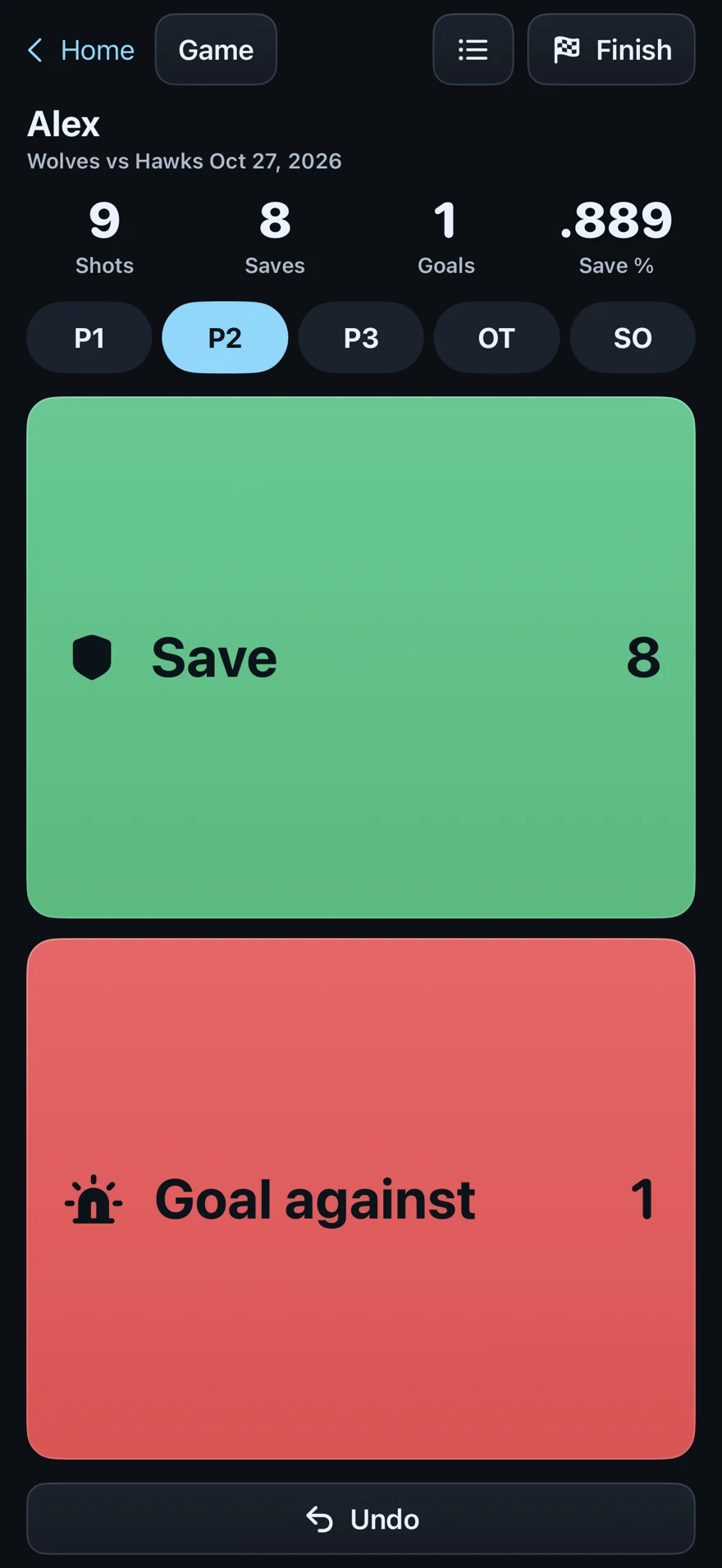
Count saves and goals, mark goal locations and fix a missed tap in the Timeline. Keep your eyes on the ice with Lock Screen and paired Apple Watch controls.
Follow each goalie's save percentage, goals-against average, win–loss–tie record and progress over time. Share a game card, export a spreadsheet or bring in past games from CSV.
Encrypted stats sync keeps games, goalies and seasons together on your linked devices. Tracked and filmed games share one history, with Summary, Events and Video for each game.
Add a recording subscription to keep the moments behind the numbers. Guided setup, QR-first pairing and improved Enhanced Wi-Fi help get you ready before the first shot. Home offers Enhanced Wi-Fi on supported devices and prompts you to pair again if needed.
Already filming? 1.5 also brings goal-location suggestions, clearer camera transfers, better reconnecting and a refined look. Update all your devices.
YOUR SEAT. YOUR SECOND LOOK.
The camera keeps its view behind the net. You keep your place in the stands—and pull up the play on your phone.
REAL PLAY. SECOND LOOK.
A save from a real game, captured with CreaseCam. Watch the play develop, then take another look at the goalie’s response.
Muted preview. Pause or replay with the video controls.
See the replay tools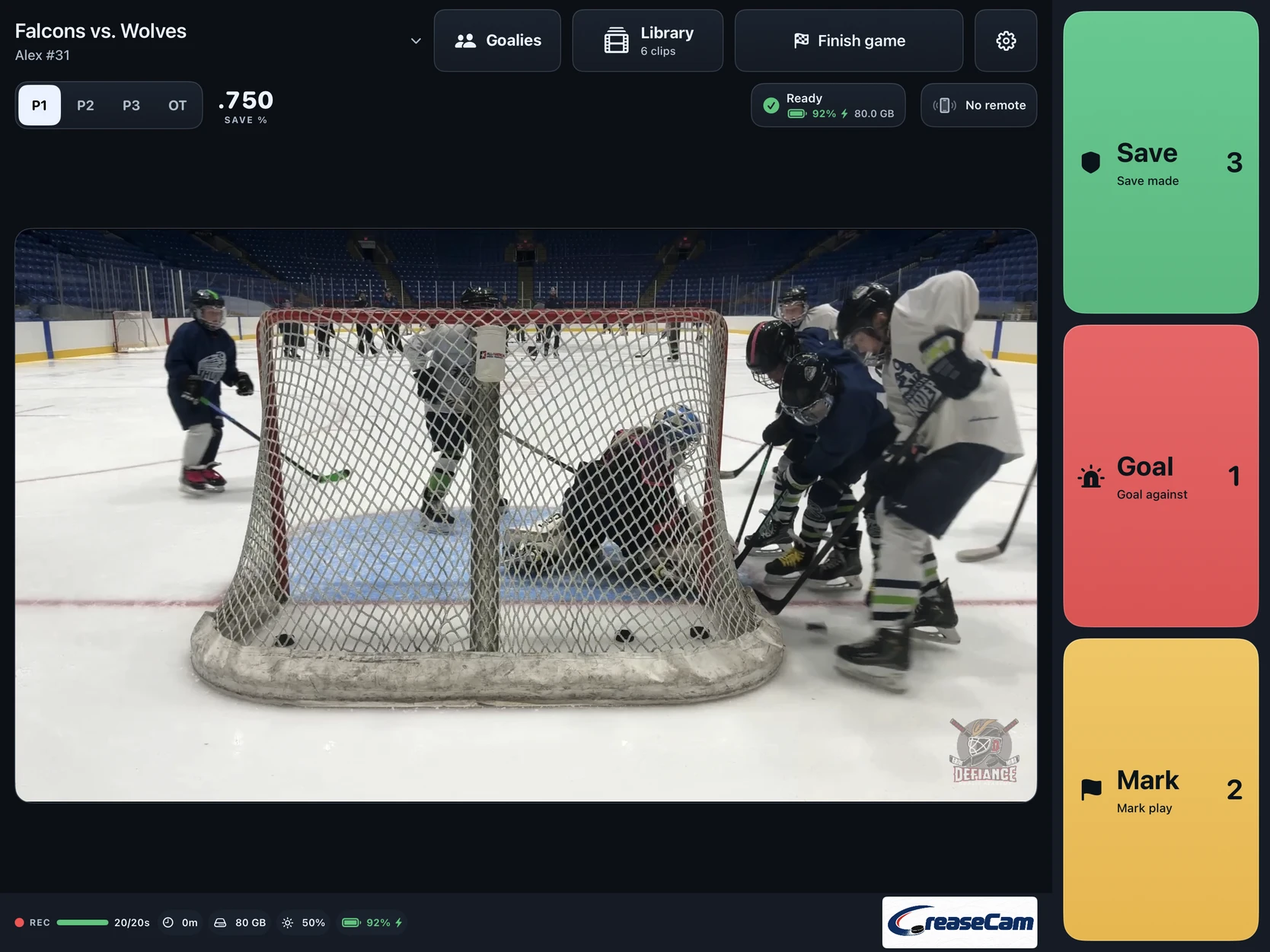
Your mounted iPad or iPhone keeps a rolling buffer while you watch from the stands.
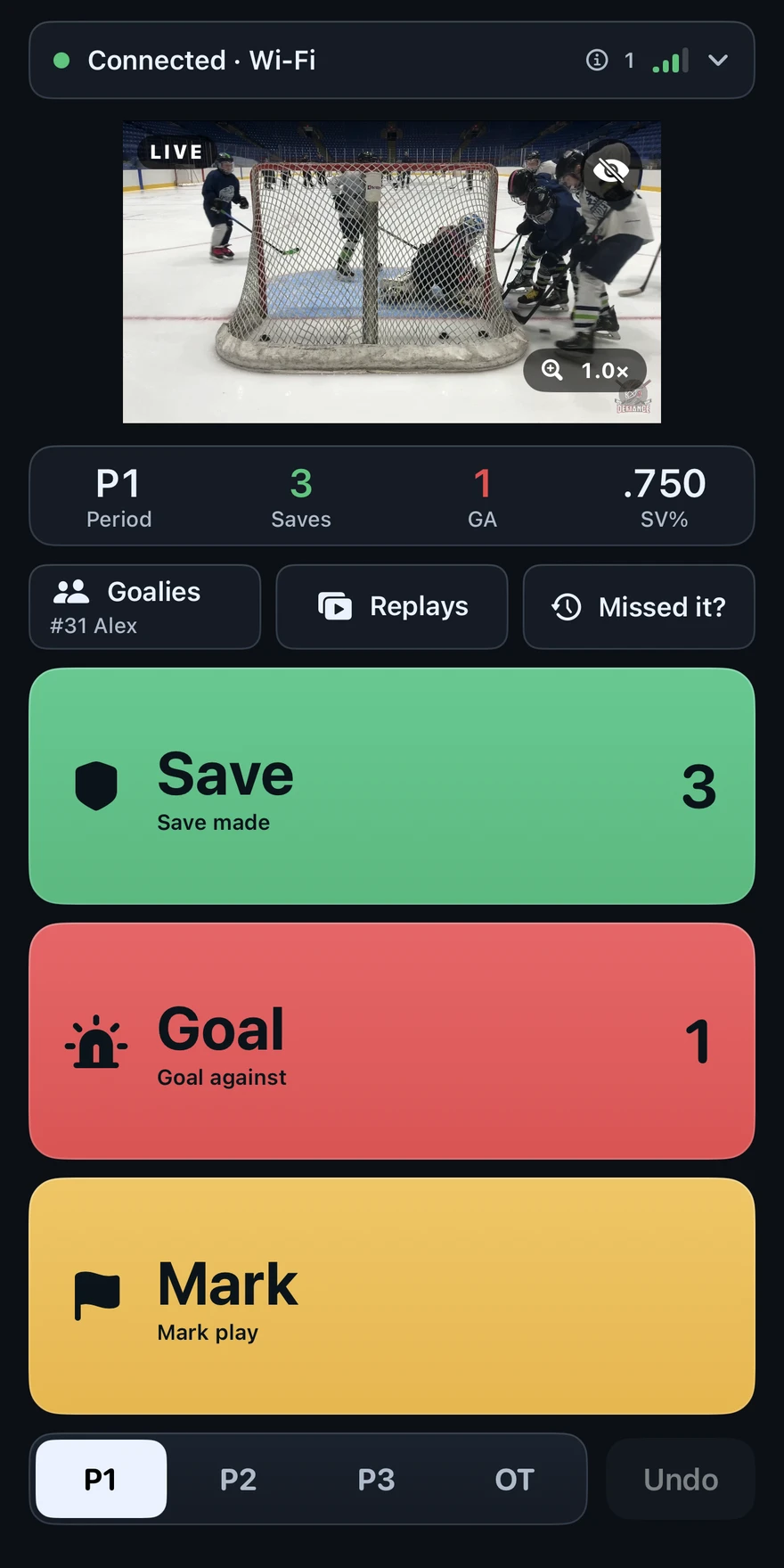
Use your paired iPhone to save the play, including the lead-up before your tap. With two cameras, both save it.
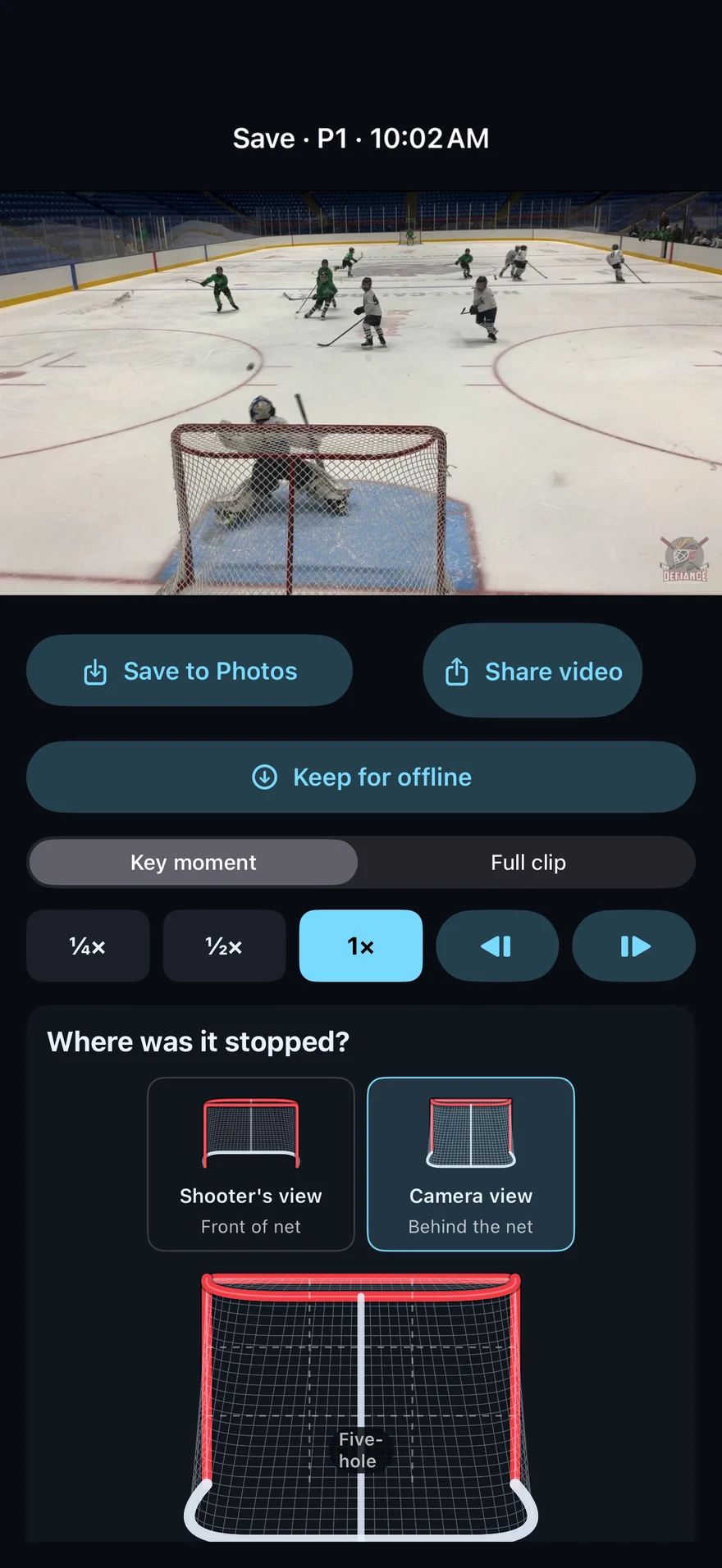
Open Replays on your phone. Slow it down and watch with the families beside you.
Camera at the net. You in the stands. Start with a supported iPad or iPhone and a secure mount.
See the rink setupA full 13-second play from an earlier game.
A second game moment, captured behind the net.
FOR COACHES. FOR THE NEXT REP.
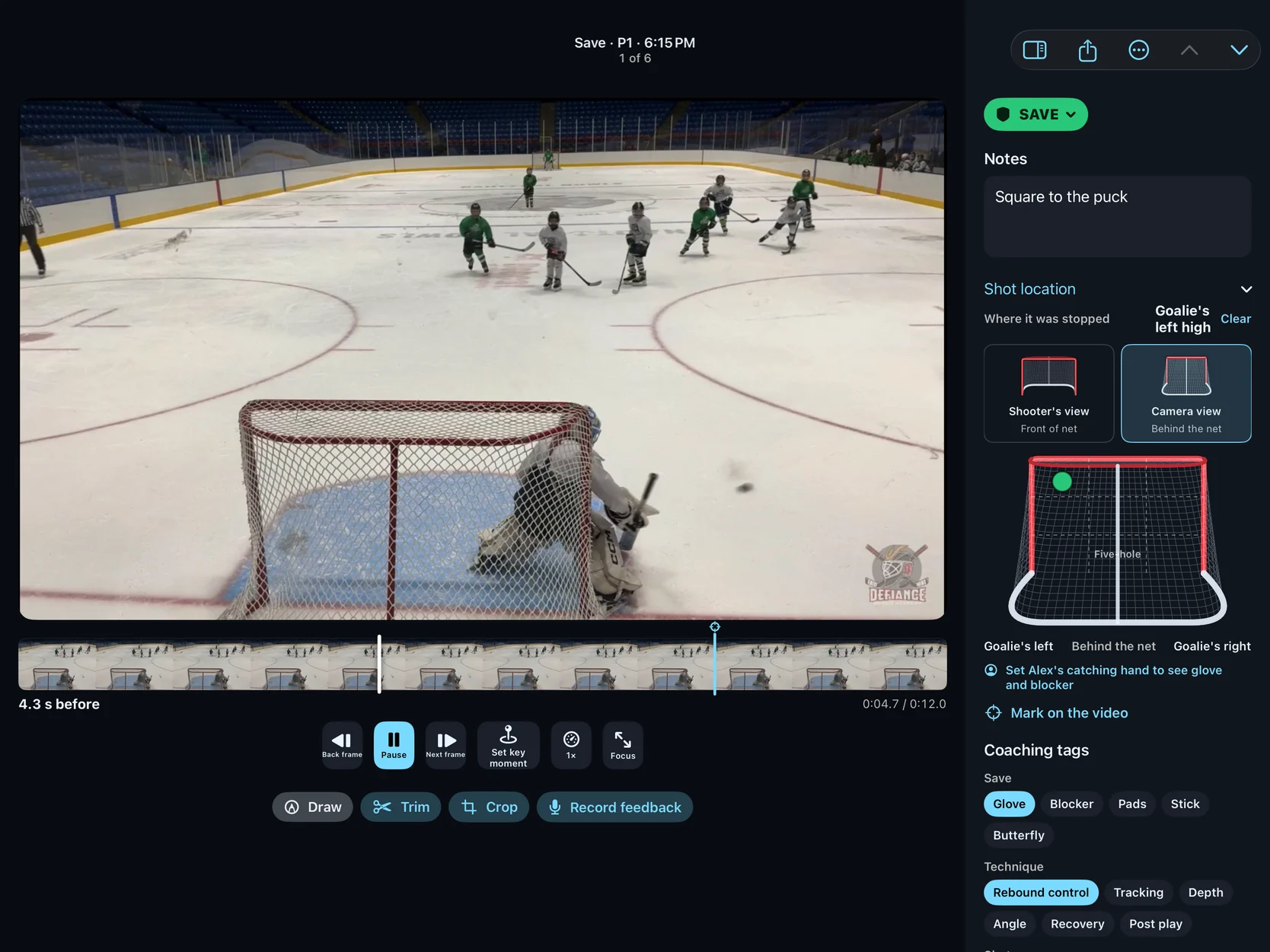
Bring a game moment or practice rep into the editing view. Slow it down, show what you mean and send the goalie feedback they can watch again.
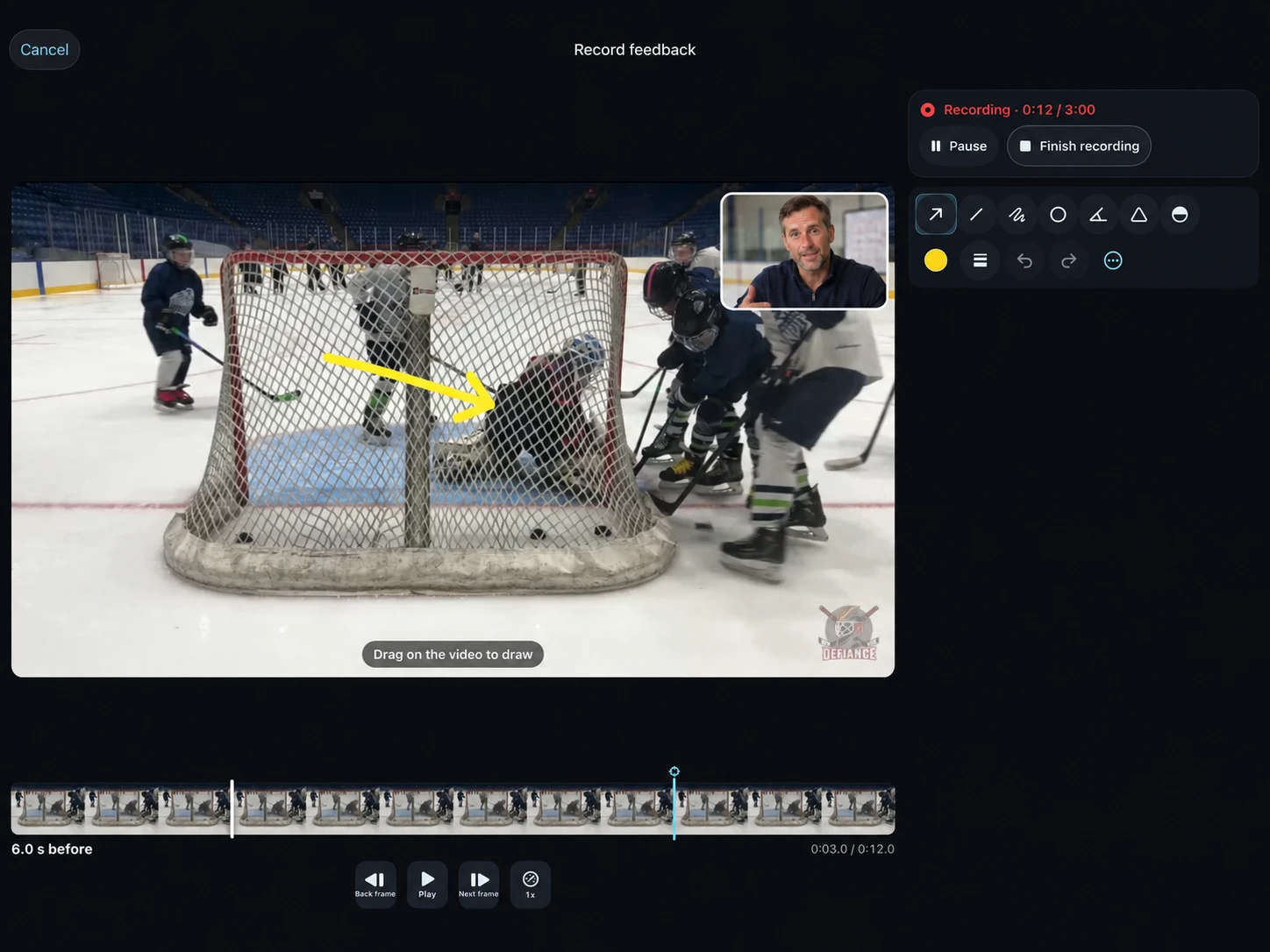
Move frame by frame, use slow motion and set the key moment to the frame you want to revisit. Trim the clip or crop the view to focus the review.
Point out positioning with compact drawing tools that stay available while you record a voice-over review. Compare two clips to explain the adjustment between reps.
Add coaching tags and notes, then share a clip or recorded review. Keep the lesson connected to the play that prompted it.
BUILT AROUND THE GOALIE
For the people in the crease—and the people helping them improve.
Keep the save you’re proud of and the goal you want to understand. Look back together, with the lead-up still in the picture.
Games. Practices. The moments between.Replay the setup, point out an adjustment and compare reps. Turn a quick explanation into a review the goalie can revisit.
See the coaching workflow[Approved customer account of using remote replay at a rink]
ANDROID REMOTE · NOW RECRUITING
Help us test saving plays and watching replays from your Android phone while an iPad runs the camera.
You’ll need an iPad with an active CreaseCam subscription and two weeks to test and share feedback. The Android beta is a remote, not a standalone camera.
Request an invitation with your Google Play email. We’ll review your setup and send the next steps.
ONE APP. THE WHOLE WORKFLOW.
Start with free stats, then add video when you’re ready. The recording subscription covers Camera, Remote and Apple Watch, with Family Sharing for your Apple family group.
Saves, goals, seasons, goalie trends, game cards, CSV import and export, and encrypted stats sync. No camera, subscription or account needed.
Start tracking freeUS launch pricing · USD
Download on the App Store$49.99/ 12 months
Equivalent to $4.17/month, billed annually at $49.99.
Save 48% versus paying monthlyIncludes a 2-week free trial for eligible subscribers.
Available in the US and Canada. Download CreaseCam to get started.
Download and stats tracking are free. Recording video requires a subscription; check local prices and trial eligibility before purchase. Subscriptions renew automatically until canceled in Apple settings. Coaches outside your family group need their own recording subscription.
READY FOR THE RINK?
Simple to understand before you set up. More setup help →
A supported iPad or iPhone, a secure mount behind the net, and enough charge and storage for your session. A second iPhone is optional if you want a remote, and you can add a second camera at the other end. You don’t need to start with a new iPad Pro.
After. With the camera running and its buffer filled, CreaseCam saves 20 seconds before your tap and 3 seconds after by default. Both are adjustable. Remote captures include a little extra lead-up. Keep the camera app open during your session.
Missed the tap? On your paired iPhone, tap Missed it? to go back through up to the last ten minutes of either camera’s footage and save the play.
No second device is required: capture directly on the camera’s screen. For a remote, nearby Bluetooth and direct Wi-Fi connections can work without internet. Bluetooth carries taps and controls, not video; replays come over Wi-Fi from the camera. Range and rink conditions affect the connection, so check your remote status during setup.
Yes. Stay with the other families while your camera records behind the net. Tap on your paired iPhone to save the play, then open Replays to pull up the video seconds later, right from your seat. Watch the key moment or the whole clip in slow motion, frame by frame or on a loop, and share it from your phone. Replays come straight from the camera over a direct Wi-Fi link, so stay within range. They don’t need the internet. Full clips and 4K replays take a little longer to arrive.
Yes. Export clips, reels or a coaching review, or prepare a game report with selected video files. Review what is included and send it through the iOS share sheet. Your original recordings stay in your library.
You can still view and export your existing local clips. An active subscription is required to record new footage after access ends.
CreaseCam is available for iPhone and iPad in the US and Canada. Download it on the App Store. Check the listing for supported devices and subscription details.
Start with a compatible device you already own. Here are our setup options when you’re ready to build out your rink kit.
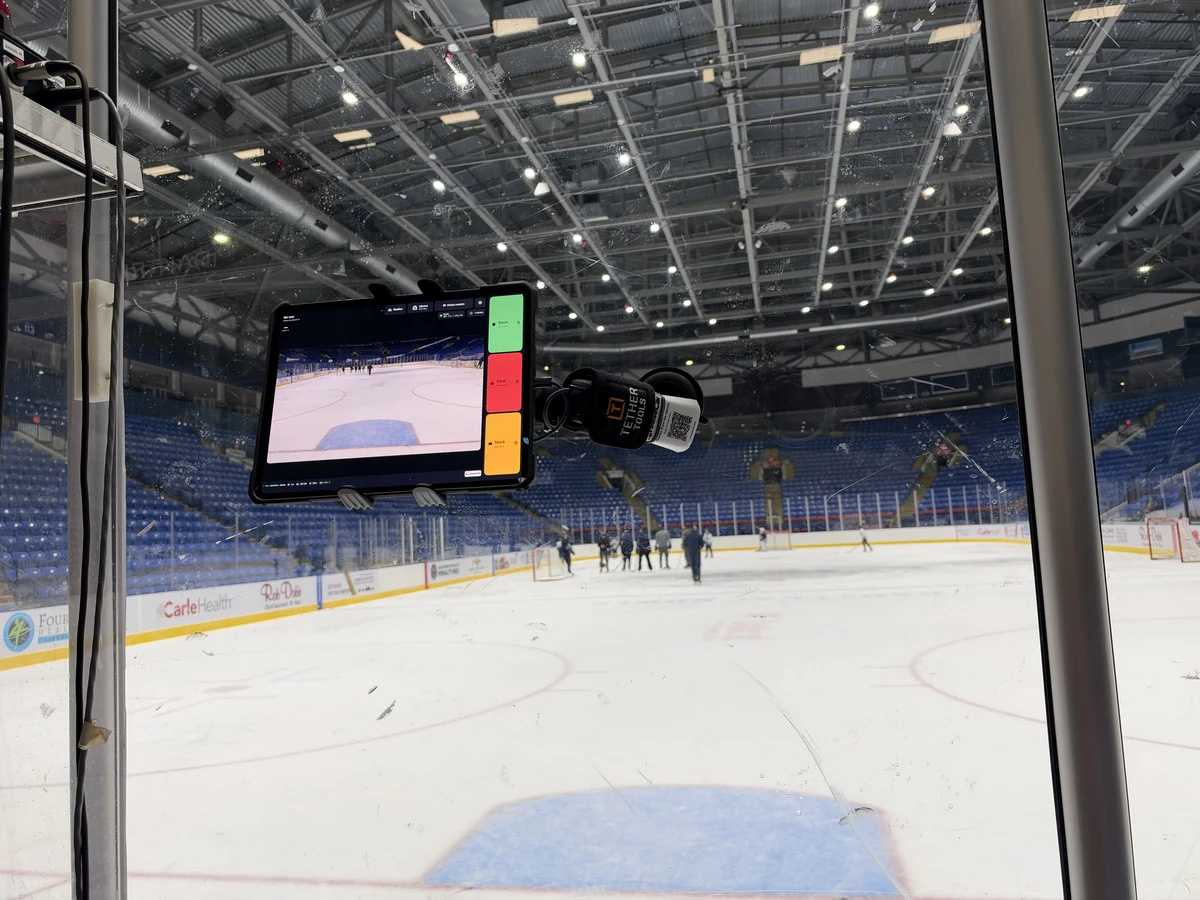
YOUR STANDS-REPLAY SETUP
Set the view once. Keep watching from your seat.
A supported iPad or iPhone, securely mounted with enough power and storage.
Pair it by scanning the camera’s QR code, then capture and replay remotely. Check the connection from your seat before the game.
Capture from your wrist through the paired iPhone. Watch your replays on the phone.
The larger screen makes rink setup and review easier. 1 TB leaves generous room for original clips across a season. Choose Wi-Fi; cellular is optional.
See iPad Pro at Apple Any iPad supported by CreaseCam can be the camera. This is our roomy, high-capacity pick.Our recommended glass mount is Tackform’s suction cup tablet mount with an extra-long arm. Use it to position the camera behind the net without a floor stand.
See mount at Tackform Check your iPad and case against Tackform’s fit guidance before ordering. Clean and dry the glass; always add a safety tether.The air-cushioned Manfrotto 1004BAC reaches 12 ft (3.66 m). Pair it with a ¼-20 iPad clamp to set the camera above the net.
The Freefly clamp fits iPads up to 8.5 in wide; measure with your case on. Weight and tether the stand, and keep it out of walkways.For long tournament days, choose one with USB-C Power Delivery and enough output to charge an iPad while it is in use. Secure the cable so it cannot pull on the stand or mount.
The iPad records on its own. Add a supported iPhone as a remote to tap Save, Goal or Mark from the bench or stands.
Check device and case fit with the manufacturer. Secure stands and mounts, use a safety tether, keep walkways clear and follow your rink’s rules.
New to goalie video? Start with our hockey filming, remote replay and coaching guides.
BEFORE YOUR NEXT SESSION
Set up the view, check your connection and make the footage useful.
Find the view, secure the mount and run a quick pre-game check.
Read the guide →Pair your phone, check the connection and pull up a saved play.
Read the guide →Review the play, draw on the details and record your coaching feedback.
Read the guide →LET’S BRING IT TO YOUR RINK
Download CreaseCam and choose Track stats to start free. Or set up a camera with a video subscription, save a test play and replay it from the stands.
Download on the App StoreNeed help getting started?
support@creasecam.app