FROM THE RINK TO THE NEXT REP.
How to Review Hockey Goalie Video with CreaseCam
Make the feedback visible.
Turn saved goalie clips into useful feedback with slow motion, frame-by-frame review, drawings, notes and recorded voice-over coaching.
Start with a question
Choose one thing to understand: the setup before a shot, movement across the crease or the recovery afterward. Include the lead-up instead of judging only the final frame. Review the clip with the goalie and ask what they saw.
Watch at full speed, then slow it down
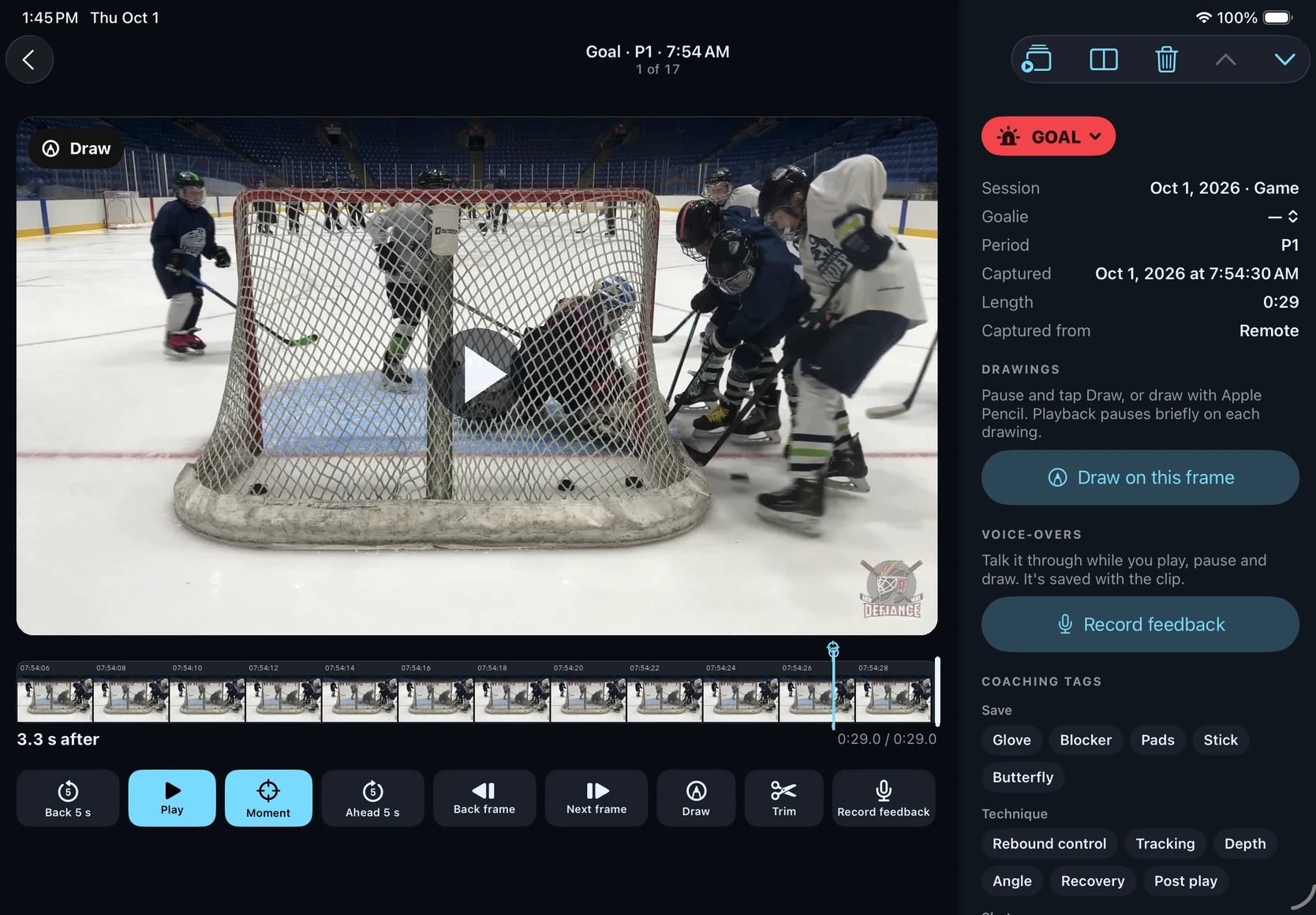
First watch the play as it happened. Use slow motion, frame controls and looping to examine the detail. Return to full speed before drawing a conclusion so the timing stays in context.
Show the point with a drawing
Use the drawing tools to mark the positioning or path you want to discuss. Keep the annotation focused. Pause at the relevant frame, draw the detail and explain how it relates to the play.
Record the explanation
Record voice-over feedback while you review the clip, including pauses and drawings. A short explanation tied to the actual video is easier to revisit than a detached instruction.
Keep clips organized
Add coaching tags and notes so the useful moment is easy to find later. Compare two clips when it helps explain a change between reps. Trim or crop a review when you need to focus attention.
Share a specific next step
Share the clip or recorded review with the goalie or coach using the app’s sharing tools. Respect rink rules and the privacy of other players. End with one concrete thing to try in the next practice; video supports the coaching conversation.